Quick answer: what are WhatsApp Flows?
WhatsApp Flows are structured, interactive experiences that run inside a WhatsApp chat. Instead of a long back-and-forth conversation, a business sends a single button that opens a native multi-screen form with inputs, dropdowns, date pickers, radio buttons, and media. Customers complete an entire task - booking an appointment, placing an order, submitting a lead, signing up - without ever leaving WhatsApp.
Flows are built on Meta's WhatsApp Business Platform. You design them visually (or paste in Flow JSON), publish them to your WhatsApp Business Account, and then send them from a chat, as part of a message template, or through an automation. In Whautomate all of this happens in one app: build the flow in the drag-and-drop editor, click Publish, and send it from the Team Inbox or an automation. They work on Android 6.0+ and iOS 12+.
How WhatsApp Flows work
A flow is a mini application delivered inside a chat bubble. The customer sees a message with a call-to-action button. Tapping it opens a full-screen experience with one or more screens, each containing form components - text inputs, dropdowns, radio groups, checkboxes, date pickers, image carousels, and footer buttons. When they hit the final button, all the collected answers are delivered back to Whautomate in one payload.
The full lifecycle is simple:
- Design the flow visually in Whautomate's flow editor, starting from a template or a blank form (or import Flow JSON from any other tool).
- Publish it to your WhatsApp Business Account so it gets a stable flow ID. In Whautomate that is one click; without it, you publish in Meta Business Manager.
- Send it from an open chat in the team inbox, as a template message (marketing broadcast, utility notification), or directly via a Whautomate automation when a customer triggers a rule.
- Receive the completed responses in Whautomate, where every submission is saved as a response, shown on the customer's chat in the shared team inbox, and can update the client's profile. Whautomate's built-in booking, store and plan flows go further and create the booking, order or subscription automatically.
Use cases that work best in a WhatsApp Flow
Meta's own case studies highlight lead capture, personalised rewards, loan approvals and insurance quotes. In practice, any workflow that would otherwise need a web form or a lengthy chat handoff is a good flow candidate.
Appointment booking
Clinics, salons, yoga studios, and consultants use flows to show real availability and confirm slots in one tap, with reminders handled automatically.
E-commerce checkout
Browse products, select variants, capture delivery address, and confirm - all inside WhatsApp. Cart abandonment drops sharply compared to web checkout.
Lead capture
Replace static web forms on Click-to-WhatsApp ad landing pages. Qualify leads with conditional fields and route them to your CRM instantly.
Event registration
Collect attendee details and session choices in one flow, then confirm the booking straight back in the same chat.
Clinic & health intake
Patient history, consent forms, and appointment scheduling all in one compliant flow. Much faster than email intake forms.
Surveys & feedback
NPS, CSAT, and post-purchase surveys with multi-screen logic. Completion rates are typically 3–5x higher than link-out surveys.
Live Whautomate Flow demos
The best way to understand WhatsApp Flows is to see them in action. Each of these short clips shows a real Whautomate-built flow running inside a live WhatsApp chat. Tap any card to watch the 30-second demo on YouTube.
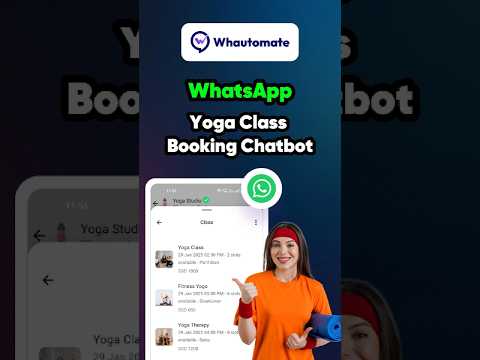
Yoga Class Booking
Students pick a class, time slot, and instructor - all inside WhatsApp. Real availability, real confirmation.
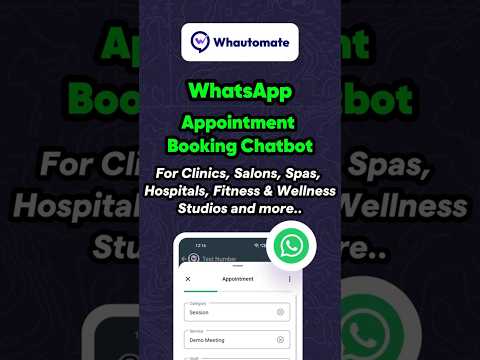
WhatsApp Appointment Booking
A universal appointment flow with service selection, staff picker, and date/time selection backed by a live calendar.

WhatsApp Event Booking Bot
Browse upcoming events, pick a ticket tier, capture attendee details, and confirm registration in under a minute.

WhatsApp E-Commerce Store Bot
Category browsing, product selection, variant and quantity picker, address capture, and order confirmation in one flow.

Clinic Bookings Bot
Patients pick a doctor, specialty, and consultation slot. Intake forms and reminders fire automatically after booking.

Multi-Branch Bot
For chains and franchises - customers pick a branch first, then the flow dynamically routes to that location's catalogue and calendar.
Build a WhatsApp Flow in minutes with the free builder
You do not need to write Flow JSON by hand. Whautomate offers a free visual flow builder that lets you drag screens and components onto a canvas, configure validation, and export valid Flow JSON ready to paste into WhatsApp Manager or upload through the Flows API. Prefer a head start? Pick one of our free WhatsApp Flow templates for bookings, intake, lead qualification, surveys and returns, and open it in the builder to edit.
Free WhatsApp Flow Builder
Visual drag-and-drop builder. No code. Export Flow JSON, then paste it into WhatsApp Manager or hand it to your developer team to deploy with the Flows API.
Create and send a flow inside Whautomate
If you use Whautomate, you do not need the free builder, WhatsApp Manager or the Flows API at all. The flow editor is built into the app, and a flow goes from blank page to a customer's chat in a few minutes:
- Start from a template. Open Forms & Flows > WhatsApp Flows and click Create WhatsApp Flow. Pick one of the ready-made forms for intake, registrations, consents, waivers, leads, feedback, events or support, start from a blank form, or import Flow JSON.
- Edit with drag and drop. Drag headings, short and long answers, dates, dropdowns, single and multiple choice, consent checkboxes and images onto each screen. Add screens and reorder them by dragging. Add client detail fields such as name, email and date of birth, and their answers update the client record automatically.
- Try it on the phone preview. Switch the live preview to Try it and fill in the form exactly as your clients will. Anything WhatsApp would reject is flagged with a clear fix before you publish, many with a one-click fix.
- Publish in one click. Click Publish and the flow goes live on your WhatsApp account. Edit it later and publish again to create a new version.
- Send it. From any open chat in the Team Inbox, on the web app or the mobile inbox app, choose WhatsApp Flow in the message options, pick the flow and send. Or send it from an automation, or attach it to a template's Flow button and broadcast it.
- Act on the answers. Every submission is saved under the flow's responses and on the client's profile, where you can view or export it. On submit, Whautomate can create or update the client, add client and contact tags, and run automations on the answers: notify staff on WhatsApp, assign the chat to a queue or agent, send an email or a follow-up message.
Publish your flow in Meta Business Manager
Not using Whautomate yet, or built the flow somewhere else? Once you've designed your flow (or exported Flow JSON from the Whautomate Flow Builder), publishing it is a five-minute job inside Meta Business Manager - no code, no Cloud API calls:
- Open Meta Business Manager → WhatsApp Manager → Flows.
- Click Create flow, give it a name, and pick the category (sign-up, appointment booking, lead generation, survey, etc.).
- In the editor, either use the built-in drag-and-drop builder or switch to the JSON view and paste the Flow JSON you created in Whautomate.
- Hit Preview to test on your own phone, then Publish. The flow now has a stable ID tied to your WhatsApp Business Account.
That's it. Published flows stay attached to your WABA permanently and can be re-used across any number of templates or automations.
Send a flow: Team Inbox, template message or automation
Once a flow is published, there are three ways to get it in front of customers. All three are built into Whautomate, and each one lets you pick the flow from a list of your published flows:
Option 1 - Send it from the Team Inbox
While a customer's 24-hour conversation window is open, any agent can send a flow straight from the chat. In the Whautomate team inbox, on the web app or the mobile inbox app, choose WhatsApp Flow in the message options, pick a published flow, adjust the message text and button if you like, and send. It is the fastest way to swap a long back-and-forth for a single form: a quote request, an intake form or a support ticket, sent in two clicks.
Option 2 - Attach the flow to a message template
Create a WhatsApp message template (marketing or utility) and select your published flow as the call-to-action button. You can now send that template as a broadcast to a segmented audience from Whautomate - reminders, promotions, re-engagement campaigns, renewal nudges. Every recipient who taps the button opens the flow straight inside their chat.
Option 3 - Trigger the flow from a Whautomate automation
Skip the template altogether and fire the flow from an automation rule. Whautomate can send a flow message automatically when:
- A customer replies with a keyword (e.g. "book", "menu", "register")
- A new contact is created from a Click-to-WhatsApp ad
- An order is placed on your Shopify or WooCommerce store
- An appointment is about to expire or needs a follow-up
- A chatbot hands off to a flow after collecting intent
Flows also work as a trigger. A "WhatsApp Flow form is submitted" automation can check which flow was submitted and what the customer answered, then tag the contact, notify a staff member on WhatsApp, assign the chat, send an email or send the next message.
Automations like these run inside the 24-hour customer service window, which until October 1, 2026 makes utility flows sent this way free. That changes on that date: a utility flow will cost the ordinary utility rate whether or not the window is open. Flows are still a cheap way to collect structured input, because one flow replaces the several back-and-forth service messages it would otherwise take - and those replies are now billable too.
Screens and components inside a flow
A flow is organised into screens. A screen is a collection of components displayed together. The component library covers everything you'd expect from a modern form:
- Inputs - TextInput, TextArea, DatePicker, CheckboxGroup, RadioButtonsGroup, Dropdown, OptIn
- Media & layout - Image, EmbeddedLink, TextHeading, TextSubheading, TextBody, TextCaption
- Actions - Footer buttons that navigate to the next screen, submit data, or complete the flow
- Media upload - dedicated components for image and document upload
You can chain multiple screens together, add conditional logic to show or hide fields, mark inputs as required, and validate formats like email or phone before the user can continue. Whautomate's Flow Builder lets you arrange all of this visually and exports the JSON ready to paste into Business Manager.
Flows vs list messages vs buttons
WhatsApp offers several interactive message types. Each solves a different problem:
| Message type | Best for | Limit |
|---|---|---|
| Reply buttons | Single-tap choices: Yes/No, quick menu | Up to 3 buttons |
| List messages | Short menu of options, FAQ routing | Up to 10 items |
| WhatsApp Flows | Multi-field forms, bookings, checkout, KYC | Multiple screens, typed inputs, server round-trips |
Rule of thumb: if the task needs more than a single tap or if you need to collect any typed input, use a flow. Buttons and lists are for branching; flows are for filling.
Do WhatsApp Flows cost extra?
No. Meta does not charge a separate fee for flow messages. A flow message is billed like any other template at the utility, marketing, or authentication rate for the recipient's country. A utility flow sent inside the 24-hour customer service window is free until October 1, 2026; from that date it is charged at the ordinary utility rate. Flows are still worth using on cost grounds, because replacing a multi-message conversation with a single structured form avoids service messages, which are billable past 1,000 a month and carry no volume discount.
For a full breakdown of per-message rates, see our WhatsApp Business API Pricing Guide, or plug numbers into the WhatsApp Pricing Calculator. Businesses serving India can check the India-specific pricing page with INR rates.
Getting started with Whautomate
Whautomate is a Meta Tech Partner and gives you everything needed to design, publish, and automate WhatsApp Flows end-to-end:
- A built-in WhatsApp Flow editor with ready-made templates, drag-and-drop screens, a live phone preview and one-click publishing, plus a free standalone WhatsApp Flow Builder
- Send any flow from the Team Inbox (web and mobile), from automations, or as a Flow-button broadcast, and trigger automations when a flow is submitted
- Flow answers saved as responses and on the client profile, with client details and tags updated automatically
- WhatsApp Business API access with zero markup on Meta's per-message rates
- Built-in flows for appointment booking, class and event booking, store checkout, plan purchases and a self-service customer portal, created and published in your WhatsApp account automatically and powered by live availability
- 25 free Flow JSON templates for intake forms, lead qualification, surveys and returns, ready to import into Whautomate or WhatsApp Manager
- Two-way chat inbox, AI chatbot, broadcasts, and analytics in one platform
Ready to launch your first WhatsApp Flow?
Start a free trial and publish your first flow in under an hour - no credit card, no developer, no markup on messaging.
Start Free Trial Try the Flow Builder