Does WhatsApp Business Have a Booking System?
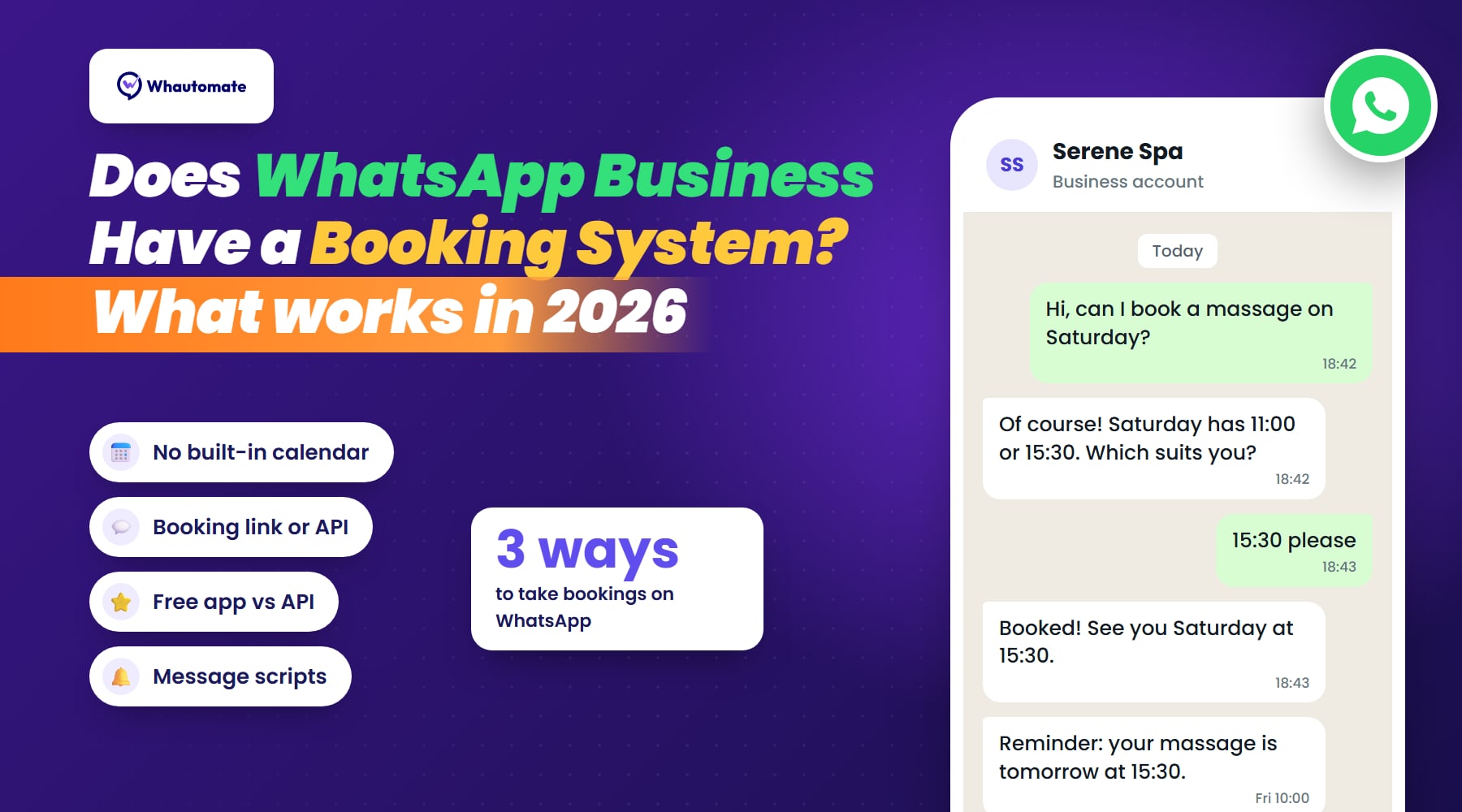
Short answer (November 2026): no. The free WhatsApp Business app has no booking system. There is no calendar, no list of free times, no protection against double booking and no automatic reminders. You can agree a time by hand in the chat or send customers a link to a booking page. To let customers book inside WhatsApp, you need the WhatsApp Business API and a booking system connected to it.
Here is what the app does give you, where Meta’s new AI agent fits in, and the three practical ways to take appointments on WhatsApp.
What the WhatsApp Business app can do
Meta lists the app’s tools on its business app features page. None of them is a booking calendar, but several help:
| Feature | What it does for bookings |
|---|---|
| Business profile | Shows your hours, address and a website link, which can be your booking page |
| Catalog | Lists services and prices (up to 500 items), but does not reserve a time |
| Quick replies | Saved answers you send with ”/”, such as your booking link or prices |
| Away and greeting messages | Automatic first replies, for example outside business hours |
| Labels | Tag chats as “new booking” or “confirmed” to keep track by hand |
What it cannot do
- Show free times. The app has no idea when you or your team are available.
- Prevent double booking. Two customers can be promised the same slot by two staff members.
- Send reminders. Nothing goes out before an appointment unless someone sends it.
- Take payment or a deposit as part of a booking.
- Let customers reschedule or cancel on their own.
That is fine for a handful of bookings a week. It gets hard once you have a team, several services or a lot of messages.
What about Meta’s AI Business Agent?
In June 2026 Meta announced the Meta Business Agent, an AI assistant for businesses that lists booking appointments among its jobs. Its help page says it is only available to selected businesses in limited countries, that AI replies may not be accurate, and that turning it on can switch off features such as away messages and broadcasts. For real bookings it still needs your availability from a connected system. It is worth watching, but it is not a booking calendar you can switch on today.
Three ways to take appointments on WhatsApp
| Book by hand | Send a booking link | Booking system on the WhatsApp API | |
|---|---|---|---|
| Works with the free app | Yes | Yes | No, needs the API |
| Customer books inside WhatsApp | Yes, by chatting | No, opens a web page | Yes, in a form or with an AI agent |
| Shows only free times | No | Yes | Yes |
| Automatic reminders | No | From the booking tool, often by email | Yes, on WhatsApp |
| Payment at booking | No | Depends on the tool | Yes |
| Best for | A few bookings a week | Small teams | Busy teams and several staff |
1. Book by hand. The customer asks, you check your diary and reply. Use quick replies for your prices and opening hours, and labels to track who is confirmed.
2. Send a booking link. Put a booking page in your profile’s website field and in a quick reply, so customers pick a free time themselves. Our free WhatsApp booking page generator makes a simple one in a couple of minutes.
3. Connect a booking system to the WhatsApp Business API. Customers book in the chat itself, in a WhatsApp Flow form or with an AI agent, see only real free times, pay a deposit if you ask for one and get reminders automatically. You can usually keep the WhatsApp Business app on the same number. This is what WhatsApp appointment booking with Whautomate does.
How to ask for an appointment on WhatsApp
Whether you book by hand or not, clear messages save back-and-forth. Copy these and adjust them:
Customer asking for an appointment:
Hi, I would like to book a [service] this week. Are you free on [day] around [time]? My name is [name].
Business replying with times:
Hi [name], thanks for your message! For [service] we have [day] at 10:00, 13:30 or 16:00. Which suits you best?
Business confirming the booking:
You are booked for [service] with [staff] on [day] at [time]. Our address is [address]. Reply here if you need to change it.
Business sending a reminder the day before:
Hi [name], a reminder of your [service] tomorrow at [time]. Reply YES to confirm or let us know if you need another time.
For approved reminder templates you can send automatically, see our appointment reminder templates.
When you need a booking system
Move from the app to a booking system when you have more than one person taking bookings, when no-shows cost you real money, or when customers message outside opening hours and you lose them before you reply. A booking system on WhatsApp shows live times, takes payment or a deposit at booking and sends automatic WhatsApp reminders, so you can stop typing the same messages all day.