WhatsApp Marketing for Small Businesses That Run on Bookings
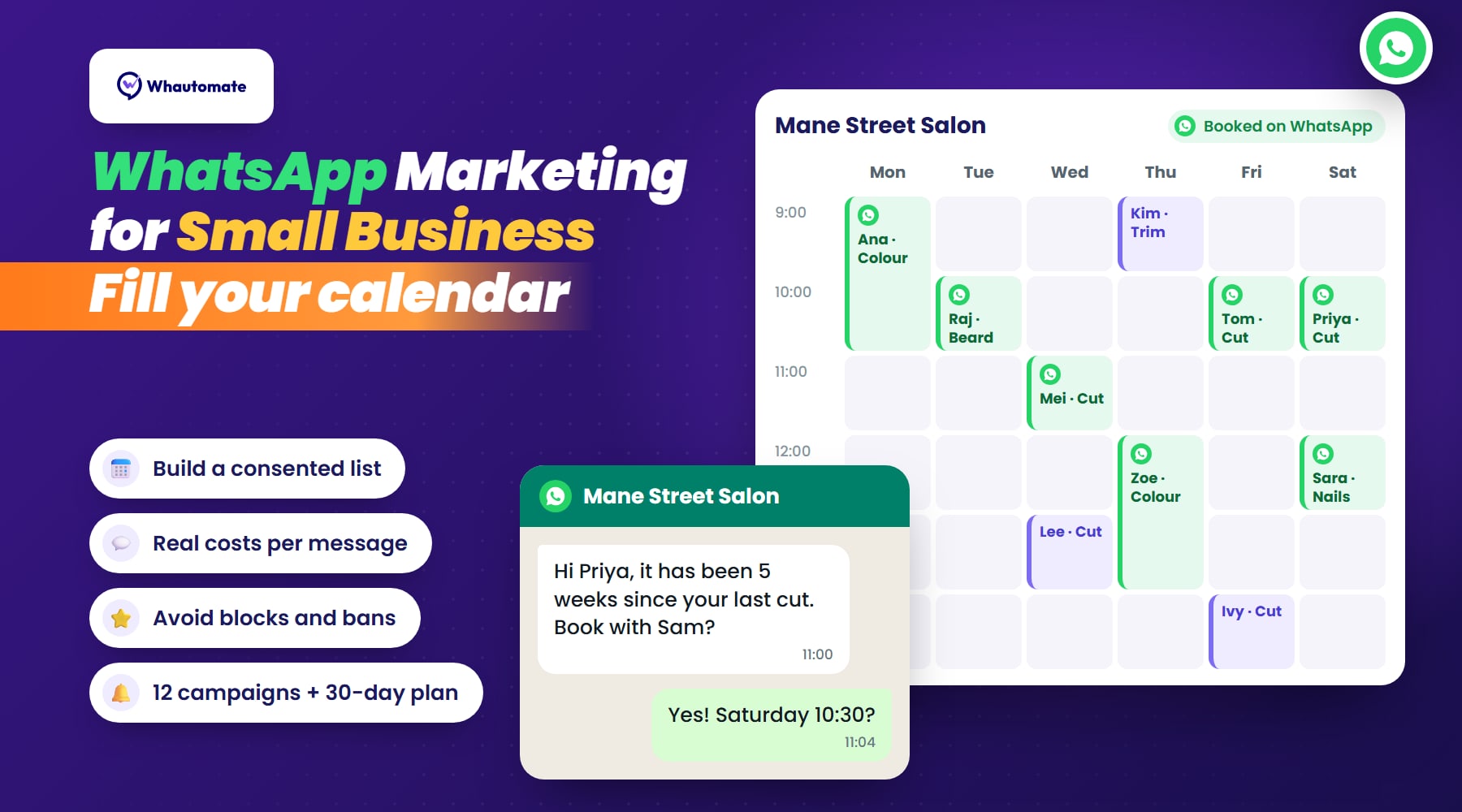
For a salon, studio, clinic or tuition centre, WhatsApp marketing is not about blasting offers. It is about filling the calendar: getting new enquiries booked, bringing clients back on time, and filling the gaps left by cancellations. This guide covers how to build a list people agreed to, what it really costs, Meta’s rules, 12 campaigns with message copy, and a 30-day plan to start.
WhatsApp Business app or the API?
| WhatsApp Business app | WhatsApp Business API | |
|---|---|---|
| Cost | Free | Meta’s per-message charges plus a platform plan |
| Who replies | One phone, plus a few linked devices | A whole team in one shared inbox |
| Automatic messages | Greeting, away message and quick replies | Reminders, follow-ups, drips, chatbots, booking |
| Campaigns | Manual broadcasts and the app’s paid broadcasts | Templates to opted-in contacts, by segment, scheduled |
| Best for | Owner-run businesses with a few chats a day | Teams, busy inboxes, appointment businesses |
You can usually keep using the app on the same number when you connect the WhatsApp Business API through Meta’s coexistence option.
Build a list people agreed to
Meta only lets you message people who gave you their number and agreed to hear from your business, and the opt-in must name you (Meta’s opt-in rules). The best places to collect it are where customers already give you their number:
- Your booking form: two tick boxes, one for appointment updates and one for news and offers.
- Checkout or payment: “Send my receipt and booking updates on WhatsApp”.
- A QR code at the counter: it opens a chat with your business; your welcome message confirms what they will receive.
- Click-to-WhatsApp ads on Instagram and Facebook: the customer starts the chat, which also opens a free window of up to 7 days.
Keep updates and offers separate, so a client who stops your offers still gets their reminders.
Utility, marketing and the 24-hour window
When a customer messages you, you can reply freely for 24 hours. Anything you send after that, or to start a conversation, must be a Meta-approved template, and Meta prices it by category:
- Utility: about a specific booking or payment, with no promotion. Confirmations, reminders, payment links.
- Marketing: anything promotional, including rebooking nudges with an offer, launches and win-backs.
Meta’s list rates from 1 October 2026, per delivered template:
| Customer’s country | Utility | Marketing |
|---|---|---|
| India | ₹0.115 | ₹0.8631 |
| Singapore | S$0.0205 | S$0.0937 |
| Malaysia | RM0.0564 | RM0.3467 |
| UAE | AED 0.0576 | AED 0.2115 |
| Saudi Arabia | SAR 0.0401 | SAR 0.2159 |
A campaign to 500 opted-in clients in Malaysia costs about RM173 in Meta charges; the same reminder sent as a utility message to 500 clients costs about RM28. Replies inside the 24-hour window are free for the first 1,000 each month per number. See WhatsApp API pricing for other countries.
Automations or broadcasts?
Broadcasts send one message to a group at one time: a new service, holiday hours, a seasonal offer. Automations send each person the right message when something happens to them: a booking, a missed appointment, a recall date, a birthday.
For booking businesses, automations do most of the work, because they are timed to each client. A rebooking message three weeks after a haircut lands when that client is ready; the same message as a broadcast reaches half your list at the wrong time. Use broadcasts for news, and automations for everything tied to a visit.
12 WhatsApp campaigns for service businesses
Words in {{double braces}} are Whautomate personalisation variables, filled in for each person (see the full list of variables); text in [square brackets] is yours to write. Each campaign shows whether it is usually sent as an automation or a broadcast.
Fill the calendar
1. Rebooking reminder (automation, three to six weeks after a visit)
Hi {{client.firstName|there}}, it has been [number] weeks since your last {{appointment.service}}. Book your next one with {{appointment.practitioner}}: [your booking link]
2. No-show recovery (automation, same day)
Hi {{client.firstName|there}}, we missed you at {{appointment.time}} today. Would you like to book another time? [your booking link]
3. Last-minute gap filler (broadcast to a small segment of regulars)
Hi {{client.firstName|there}}, we have two free [service] slots tomorrow at [times]. First to reply gets one!
4. Class waitlist place (automation, when a place opens in a full class)
Hi {{client.firstName|there}}, a spot just opened in {{class.className}} on {{class.date}} at {{class.time}}. Book it here: [your link]
Keep clients coming back
5. Membership or class pack renewal (automation, a few days before expiry)
Hi {{client.firstName|there}}, your {{membership.planName}} renews on {{membership.nextBillingDate}}. Review or renew it here: {{membership.url}}
6. Win-back for lapsed clients (to clients with no visit in two to three months)
Hi {{client.firstName|there}}, we have not seen you for a while. Here is [offer] on your next visit, valid until [date]: [your booking link]. Reply STOP to opt out.
7. Review request (automation, two to three days after a visit)
Hi {{client.firstName|there}}, thanks for coming in! If you enjoyed your {{appointment.service}}, a quick review helps us a lot: [your review link]
8. Birthday message (automation, on the birthday)
Happy birthday, {{client.firstName|there}}! 🎉 Enjoy [gift] on any visit this month. Book here: [your booking link]
Grow
9. New service launch (broadcast)
Hi {{client.firstName|there}}, we now offer [new service]! Opening offer: [offer] until [date]. Book: [your link]. Reply STOP to opt out.
10. Referral ask (broadcast to regular clients)
Hi {{client.firstName|there}}, thanks for being a regular! Bring a friend and you both get [reward]. Just share this link: [your referral link]
11. Seasonal campaign (broadcast)
Hi {{client.firstName|there}}, [festival] is coming! Book your [service] before [date], as times are filling fast: [your booking link]
12. Term or course enrolment (broadcast for tuition centres and studios)
Hi {{client.firstName|there}}, enrolment for the [term] term is open. Classes start on [date]: [your link]
Want these as timed multi-step sequences? See our WhatsApp drip campaign guide.
Frequency, blocks and quality
- Meta limits marketing messages per person. It caps how many marketing templates one person receives across all businesses. Messages over the cap fail with error 131049; retrying immediately does not help (per-user limits).
- No marketing templates to US numbers. Utility messages still go through.
- Blocks lower your quality rating. If many people block or report you, Meta can limit how many people you can message. Send fewer, more useful messages to people who asked for them.
- Keep promotions out of reminders. A reminder with an offer becomes a marketing message: more expensive, and more likely to be ignored.
- Always offer a way out. End promotional messages with “Reply STOP to opt out”, and honour it immediately.
Use WhatsApp with Instagram, email and SMS
Your customers do not all live on WhatsApp. A practical split:
- WhatsApp: booking, reminders, rebooking, anything time-sensitive.
- Instagram: discovery. Use Click-to-WhatsApp ads and your bio link to move people into a chat or onto your booking page.
- Email: longer content, newsletters, receipts.
- SMS: a fallback for clients without WhatsApp.
Measure bookings and revenue
For every campaign, compare:
- Bookings and revenue in the week after the campaign against a normal week.
- Replies: a campaign that starts conversations is working, even if not everyone books.
- Opt-outs and blocks: if they rise, send less or make messages more relevant.
- For automations: rebooking rate, no-show rate and recall completion over a month.
A 30-day plan
Week 1: foundations. Connect the WhatsApp Business API, add opt-in tick boxes to your booking form, put a QR code at the counter, and set up your welcome and away messages.
Week 2: stop losing bookings. Turn on appointment reminders and the no-show recovery message. Let customers book in WhatsApp, with a deposit for long or high-value services.
Week 3: bring clients back. Add the rebooking reminder and the review request as automations.
Week 4: grow. Send your first broadcast to the opted-in segment, then compare bookings with a normal week before planning the next one.
Mistakes that cost small businesses their number
- Importing a contact list and messaging everyone. People who never agreed to hear from you block and report, and your quality rating drops. Start with clients who opted in, even if the list is small.
- Sending the same offer to everyone. A discount on a service someone has never booked feels like spam. Segment by what people actually book: hair clients and nail clients, members and drop-ins, parents of beginners and of exam students.
- Promotions disguised as reminders. Adding an offer to a reminder makes it a marketing message, costs more, and teaches clients to ignore your reminders.
- No way to book from the message. Every campaign should end with one link or one reply that gets the person booked. “Visit our website” loses most of them.
- Messaging at the wrong time. Late-night promotions get muted. Send when your clients are most likely to book, usually mid-morning or early evening.
- Not answering replies. A campaign that starts conversations nobody answers does more harm than no campaign. Send when your team is around to reply, or let a booking bot handle simple requests.
How Whautomate fits
In Whautomate, campaigns go out as WhatsApp, SMS, Telegram or email broadcasts to segments you choose, and you can retarget people who read, replied, did not reply or whose message failed. Automations run on triggers such as bookings, recalls, birthdays, form submissions, tags and payments. People who reply STOP are added to your opt-out list automatically. Client segments, client automations and email campaigns are part of CRM Suite; see WhatsApp CRM for small business. For a deeper look at broadcasts, see WhatsApp broadcasts, and for practices, WhatsApp marketing for clinics.