Why Google Reviews Matter and How to Automate Them on WhatsApp
Your happiest customers rarely leave a Google review on their own. They walk out satisfied, mean to post something, and forget by dinner. Meanwhile, the one unhappy visitor writes three paragraphs that same evening.
That gap is costing you bookings. Google reviews are now the first thing many people read before choosing a salon, spa, studio or service provider. They shape trust, and they shape where you appear on Google Maps. Whether you run a salon, dental practice, physiotherapy practice, spa, fitness studio or any other local service business, Google reviews influence how potential customers see your brand. Whautomate supports all of these businesses with automated review requests on WhatsApp.
The fix is simple: ask every customer, at the right moment, on the channel they actually use. For most people, that channel is WhatsApp. In this guide, you’ll learn why Google reviews for business matter, what a healthy review pace looks like, and how to automate review requests on WhatsApp after every appointment with Whautomate.
Why Google reviews matter for trust and conversions
A Google review is social proof from a stranger, and people trust strangers who have nothing to sell. Before booking, prospects compare your star rating, your review count and how recently people wrote about you.
Here is what your reviews tell a new customer in seconds:
- Star rating: a quick signal of quality. Most people filter out businesses below a certain threshold. Use the Google Star Rating Calculator to see how many five-star reviews you need to reach your target.
- Review count: a business with 300 reviews feels safer than one with 12, even at the same rating.
- Recency: reviews from last week prove you are still delivering. Reviews from 2022 raise doubts.
- Your replies: thoughtful responses, especially to criticism, show you care about service.
When owners check my Google reviews and see a handful of old posts, they are looking at a leak in their sales funnel. Every prospect who bounces to a competitor with fresher reviews is revenue you never see.
How Google reviews for business affect local SEO
Google ranks local results on three broad factors: relevance, distance and prominence. Reviews feed directly into prominence. Google itself notes that more reviews and positive ratings can improve a business’s local ranking.
Reviews also help with relevance. When customers write “best physiotherapist for back pain” or “great keratin treatment”, they add the exact words future customers search for. That language sits on your Business Profile and helps Google match you to more queries.
In practice, strong Google reviews for business help you:
- Appear in the Google Maps “local pack” for nearby searches
- Earn more clicks than competitors listed beside you
- Rank for service-specific searches your website may not cover
- Convert profile views into calls, direction requests and bookings
The takeaway: if you want to rank locally, you need a steady flow of fresh, genuine reviews. One burst a year will not do it.
What healthy review velocity looks like
Review velocity is how many new Google reviews you earn each month. A healthy pace is steady, natural and in line with your customer volume.
Three signs your velocity is healthy:
- Consistent: new reviews arrive every week, not in sudden spikes followed by silence.
- Proportional: the number of reviews matches how many customers you actually serve.
- Ahead of local competitors: you add reviews at least as fast as the top three businesses in your Maps results.
A simple way to plan it: monthly reviews = completed appointments × the share of customers who leave a review when asked. The table below uses an illustrative 10% response rate. Track your own completed appointments in Whautomate Reports and adjust.
| Completed appointments per month | New reviews at 10% response |
|---|---|
| 100 | 10 |
| 300 | 30 |
| 600 | 60 |
The lever you control is the ask. If you only ask some customers, some of the time, your velocity stalls. When you get Google reviews by asking every customer, every time, the numbers compound.
The gap between the appointment and the review
The best moment to ask for a Google review is shortly after the appointment, while the experience is fresh. Most businesses miss it.
Here is why the gap opens:
- Front-desk asks get forgotten. Staff are busy checking in the next client.
- Email requests go unread. They land in promotions folders or get skimmed days later.
- The review link is hard to find. Customers have to search for your business, scroll, find the button and sign in.
- No follow-up. A single ask that gets ignored is never repeated.
Every hour that passes lowers the chance of a review. WhatsApp closes the gap because customers read messages there within minutes, and a single tap opens your review form. When you automate the request, timing stops depending on whether someone remembered.
How to automate Google review requests on WhatsApp with Whautomate
Whautomate sends a WhatsApp review request automatically after every visited appointment, then follows up with a reminder. You set it up once, and it runs for every customer.
How the workflow runs:
- Appointment is marked Visited. When a booking made through Whautomate appointment scheduling is marked Visited, the review flow starts. The same works after a class or a completed order.
- WhatsApp message goes out. A friendly, personalised message thanks the customer by name and includes a one-tap link to your Google review form. It is sent through the official WhatsApp Business API using an approved template.
- Timing is yours to set. By default the request goes out 1 day after the visit. Change the wait time to suit your service, and use a different review link per service if you need to.
- No duplicate requests. Once the request goes out, the client is automatically added to a “Review sent” group. You can see at a glance who has already been asked, and the flow skips them next time, so no one gets the same request twice.
- Follow-ups when you need them. Set up one or more follow-up messages for clients who haven’t left a review yet, and choose how many days apart they go out.
You build all of this without code in Whautomate Automation, using triggers, conditions and actions. Replies land in your omnichannel team inbox, so if a customer responds with a concern, your team can resolve it in the same chat.
The result: every customer gets asked, at the right time, on the app they check most. That’s how you get more Google reviews without adding work for your front desk.
Free tools to get Google reviews for your business
Not ready to automate yet? Whautomate’s free tools help you start collecting reviews today, both in person and on WhatsApp.
| Tool | What it does | Best for |
|---|---|---|
| Google Review QR Code Generator | Creates a QR code that opens your Google review form when scanned | Reception desks, receipts, treatment rooms |
| Google Review Sticker Generator | Turns your review QR into a printable sticker or table card | Counters, mirrors, packaging |
| WhatsApp Review Request Generator | Writes a ready-to-send WhatsApp message asking for a Google review | Sending requests by hand to recent customers |
| WhatsApp Link Generator | Makes a click-to-chat link that opens a WhatsApp conversation with your business | Bios, emails, website buttons |
| Google Star Rating Calculator | Shows how many five-star reviews you need to reach a target rating | Setting monthly review goals |
These tools work well together: a QR code catches customers in person, and WhatsApp messages catch everyone else. Explore more on the Whautomate tools page.
Compliance note: never filter review requests by rating
Ask every customer for a Google review, not just the ones you expect to be happy. Google’s review policies prohibit selectively asking for positive reviews, a practice known as “review gating”.
What review gating looks like:
- Sending a “How did we do?” survey and only sharing the Google link with people who rate you 4 or 5 stars
- Routing unhappy customers to a private form instead of Google
- Asking only customers your staff hand-pick
What to do instead:
- Send the same Google review request to every completed appointment
- Never offer discounts, gifts or freebies in exchange for reviews
- Handle complaints separately; private feedback forms are fine as long as they don’t replace the public review option
- Reply to every review, positive or negative, politely and promptly
Gating can lead to removed reviews or penalties on your Business Profile. An honest mix of reviews also looks more credible to customers than a wall of perfect five-star ratings.
Make writing a Google review effortless
The easier you make writing a Google review, the more customers finish it. Remove every extra step between your message and the review box.
Best practices for your WhatsApp request:
- Use the customer’s name and mention the service or staff member they saw.
- Keep it short. Two or three lines is plenty.
- Link straight to the review form, not your Maps listing.
- Make it easy to start, for example: “Just a line about your visit helps a lot.”
- Say thank you whether or not they leave a review.
Sample message you can adapt (or build your own with the WhatsApp Review Request Generator):
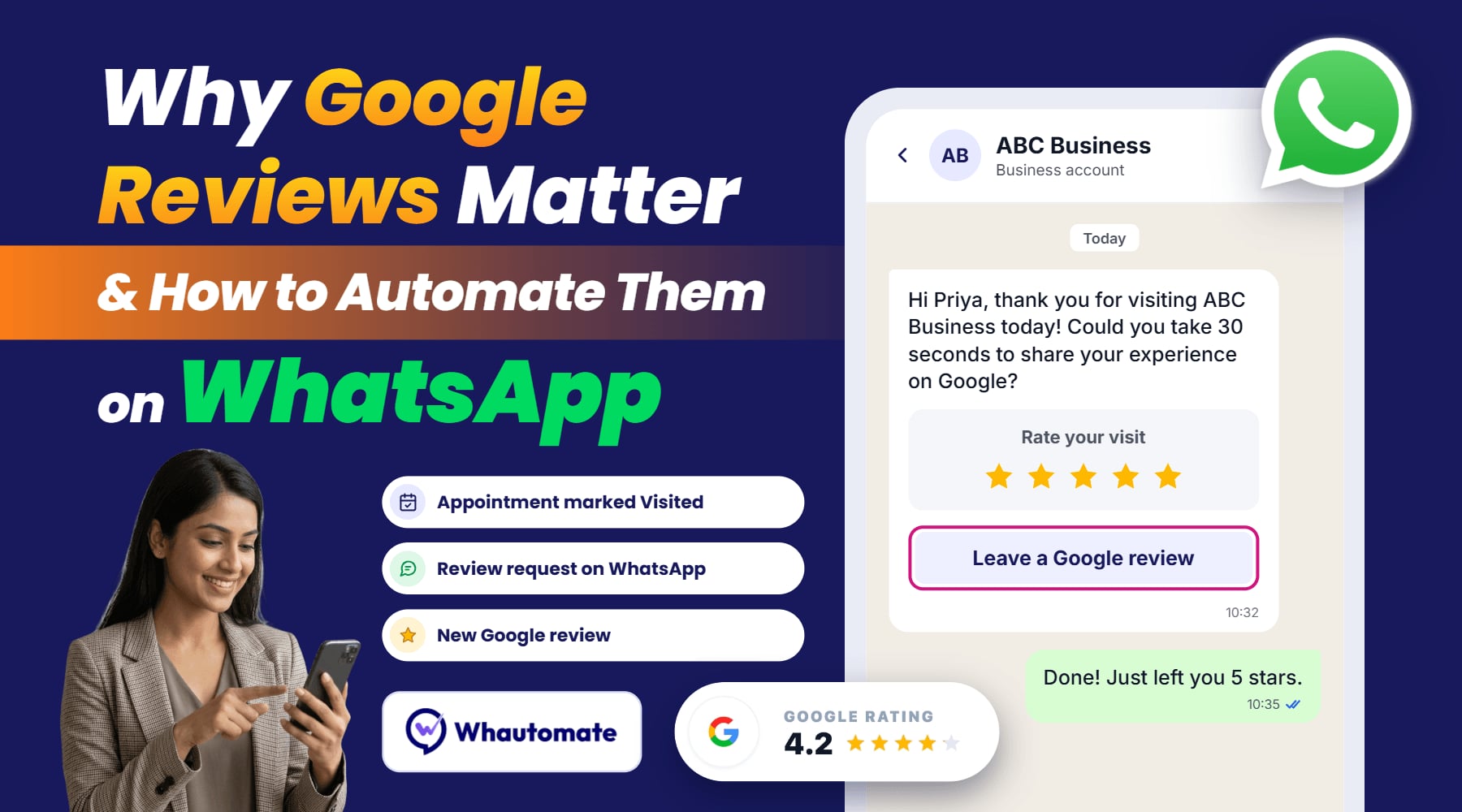
Hi Priya, thank you for visiting Glow Studio today! We hope you loved your facial with Anita. Could you take 30 seconds to share your experience on Google? It really helps others find us: [review link]
Sample reminder:
Hi Priya, just a gentle reminder in case you missed it. Your feedback on Google means a lot to our small team: [review link]. Thank you!
Frequently asked questions
How do I get more Google reviews for my business?
Ask every customer soon after their visit, on WhatsApp, with a direct link to your review form. Add a Google review QR code at your counter for in-person requests, and send one reminder to those who don’t respond.
Can I automate Google review requests on WhatsApp?
Yes. With Whautomate, a review request goes out automatically after an appointment is marked Visited, followed by a reminder if needed. Everything runs on the official WhatsApp Business API.
How do I find my Google reviews?
Search your business name on Google or open your Google Business Profile while signed in. You’ll see all your reviews and can reply to each one from there.
Is it allowed to ask customers for a Google review?
Yes. Google allows you to ask for reviews. It does not allow you to offer incentives or to ask only happy customers.
When is the best time to send a Google review request?
Soon after the visit, while the experience is fresh. Whautomate sends it 1 day after the appointment by default, and you can shorten or lengthen that to suit your service.
How many reminders should I send?
Start with one polite follow-up a few days after the first request. If your customers respond well, Whautomate lets you add more follow-ups and set the gap between them. Keep them spaced out and stop once the client leaves a review.
Start collecting Google reviews on autopilot
Google reviews build trust, lift your local ranking and turn searches into bookings. The businesses that win are not the ones with the best service alone; they are the ones that ask every customer, every time.
Whautomate is an Official WhatsApp Tech Provider and Meta Business Partner. That means your review requests go out through the official WhatsApp Business API, with approved templates, reliable delivery and your verified business name.
Start your 7-day free trial to automate your Google review requests on WhatsApp and grow your reviews without lifting a finger. See plans and pricing.